
Eldforge Crafting Guide: Blacksmith and Hidden Recipes
Use Sutz's crafting menu to turn materials into equipment, or find the separate forge prompt for the Red Soul Lantern.
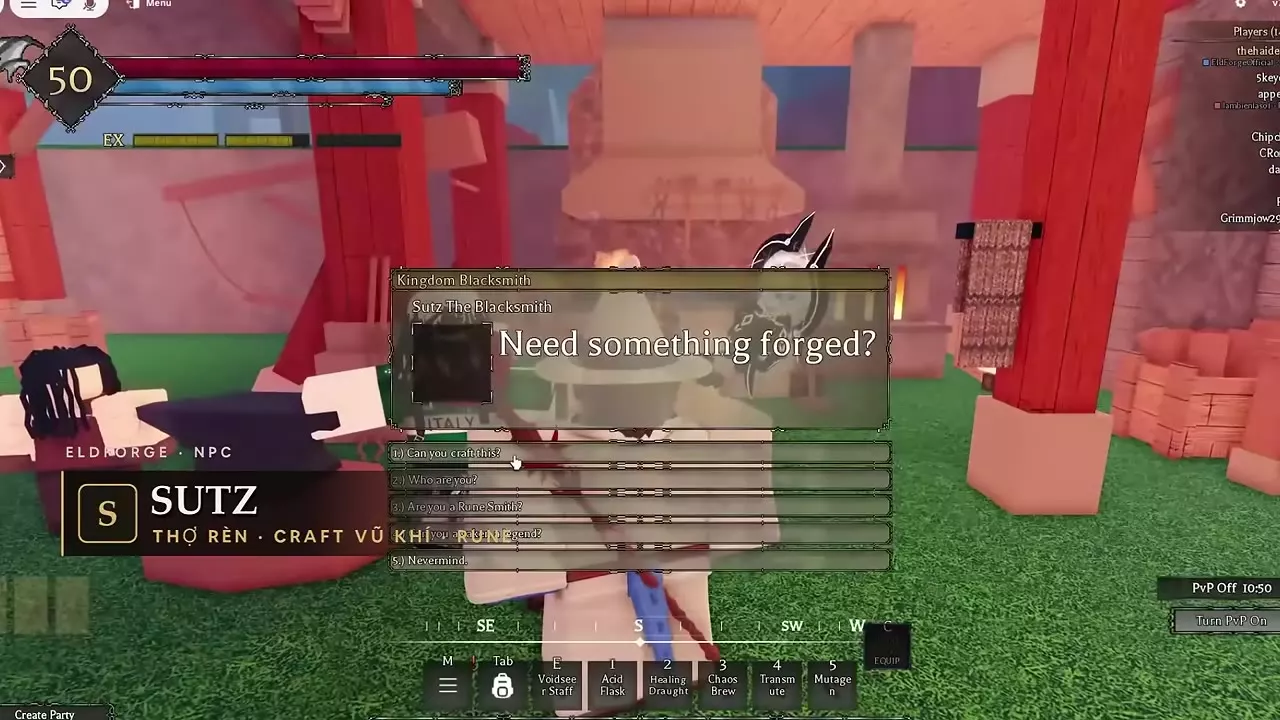
In Hearthvale, hold E near Sutz and choose “Can you craft this?” or use an anvil marked Craft. Carry at least one ingredient to reveal a recipe, then gather the full amount and select Craft. The Red Soul Lantern uses a separate village prompt and costs 3 shards and 150 Copper.
Open Sutz's Crafting Menu or the Anvil
Find Sutz's smithy near the Hearthvale job board. Hold E beside Sutz and choose “Can you craft this?” to open the crafting menu. You can also hold E at an anvil marked Craft to open the recipe list directly.
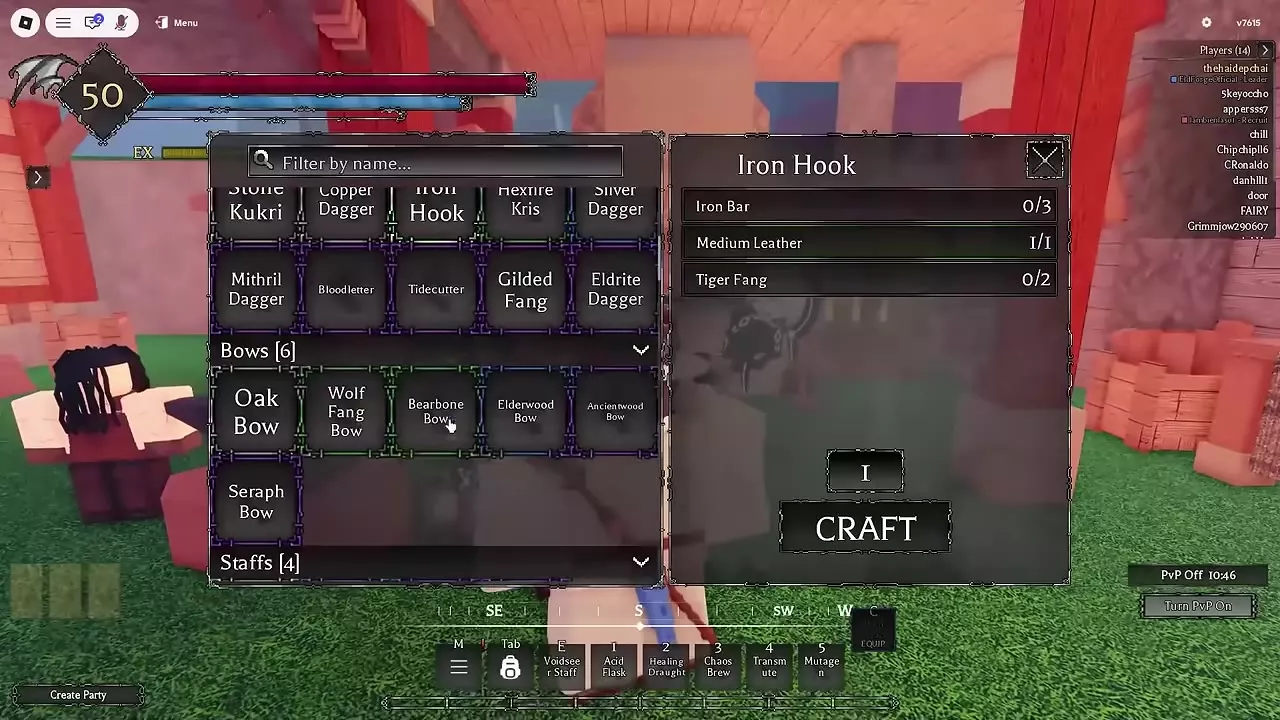
Search by item name or expand a category to browse weapons, armor, robes, gathering tools and rings.
Reveal a Recipe and Craft the Item
If a recipe is missing, clear the name filter and expand the relevant category. Carry at least one material required by the recipe, then reopen the list. Once the recipe is visible, you can inspect its full requirements even if you still need other ingredients.
- Hover over the item to check its attributes and equip level. Select it to open its recipe.
- Read each material counter as amount owned / amount required. Gather any missing ingredients, including smelted bars where needed.
- Set the quantity and select Craft. Check the item and material-consumption notifications; a successful craft adds the item to your inventory and consumes the listed ingredients.
For example, one Copper Sword requires 4 Copper Bars and 2 Medium Leather and has a Level 5 equip requirement. Two swords require 8 Copper Bars and 4 Medium Leather. Subtract what you already carry from each total to find what you still need; if you already have enough of a material, you need none more.
Forge the Red Soul Lantern
Bring 3 shards and 150 Copper to the village forge point labeled “Forge Red Soul Lantern.” Hold E at that prompt to forge it.
The basic Lantern comes from Light in the Moss. Toggle its light with K by default; you can change the key under Settings → Keybinds.
Smelting, Materials and Equipment Recipes
- Furnace and smelting recipes — turn ore into the bars used in equipment recipes.
- Crafting materials and drop sources — find ingredients for your selected recipe.
- Weapons and crafting progression — compare weapons and choose your next upgrade.
- Armor sets and recipes — compare armor and plan set materials.
- Runes and socketing — use Sutz's rune service to socket compatible equipment.