
Eldforge Inventory, Equipment and Hotbar
Find an item in your Eldforge backpack, equip it, and use the hotbar to put it to work.
Open the backpack from the bottom of the screen, then search on a new server or browse by category. Select an item and choose Equip; a replaced main weapon returns to Weapons. Use the key shown on the hotbar or select Hold on an item's card.
Search or Browse the Backpack
Click the backpack icon at the bottom of the screen. On a new server, enter an item name in the search box. On an older server where search does not work, scroll to the relevant category and expand it.
The categories are Weapons, Tools, Armor, Runes, Rings, Capes, Mounts, Fish, Potions, and Materials. Select an item to open its details.
The character panel beside the inventory shows equipped gear, including separate ring slots. Use its Professions, Buffs, Stats, and Character tabs to inspect your character.
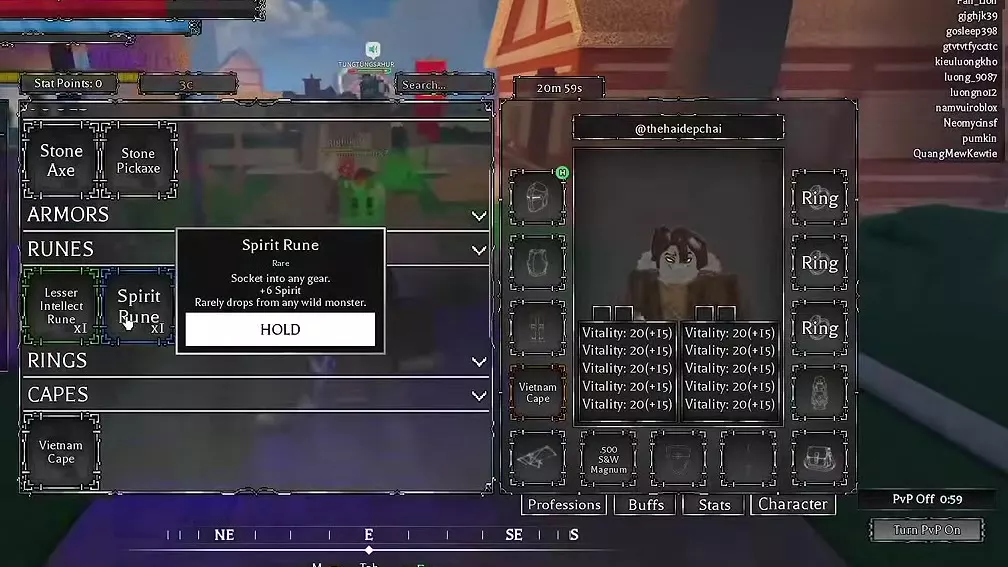
Equip, Replace or Take Off Gear
- Open the item's category and select the gear you want to use. Meet its equip requirements.
- Choose Equip on the item card.
- Check the matching slot on the character panel. For a main weapon, also check the bottom hotbar.
Equipping a replacement main weapon returns the previous weapon to Weapons and updates the weapon's hotbar slot. You can open the backpack and switch weapons while In Combat is active. After upgrading a gathering tool, open Tools and equip the new tool before using it.
To remove an equipped item, select it on the character panel when its tooltip says Click to take it off. A removed main weapon returns to Weapons and leaves the hotbar.
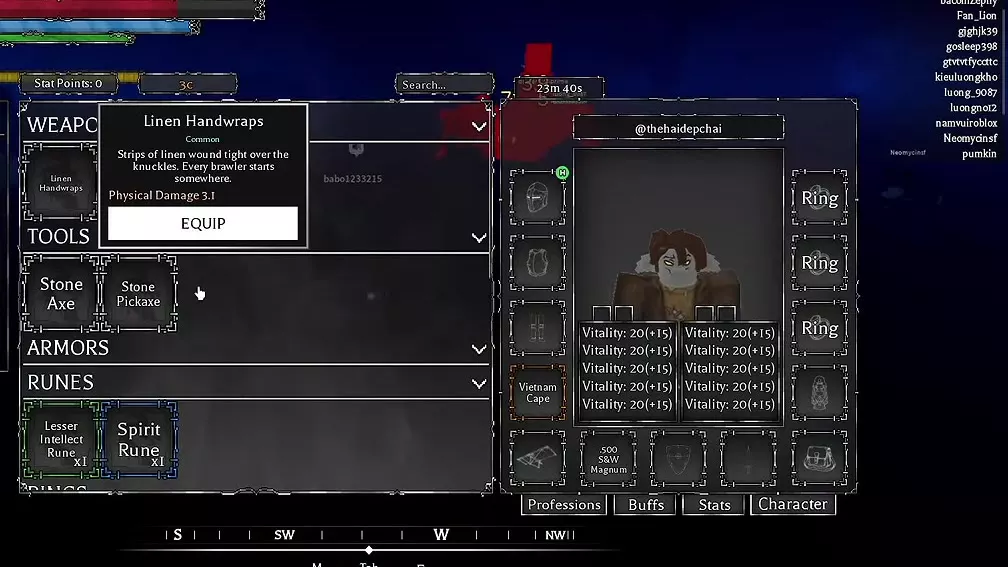
Use a Hotbar Item or Hold an Ingredient
Check the key displayed on the bottom hotbar and press it to use the equipped weapon or assigned item. If your weapon is in the E slot, press E to draw it; check your character's hands to see it equipped.
For an ingredient with a Hold button, open its item card and select Hold. For example, Red Apple is under Materials and can be held for beast taming.
Potions can remain in the backpack or be placed on the hotbar. The Food bag also lets you drink potions during combat; see alchemy and potions for potion use and recipes.
Use the numbered slot shown for an equipped class skill. Its slot displays a countdown while the skill is on cooldown. See class skills for learning and equipping them. To change controls, open Settings → Keybinds.