Eldforge Character Customization, Roblox Hair and Emotes
Change your character’s look in Eldforge, bring in your Roblox hair, and use the emote wheel.
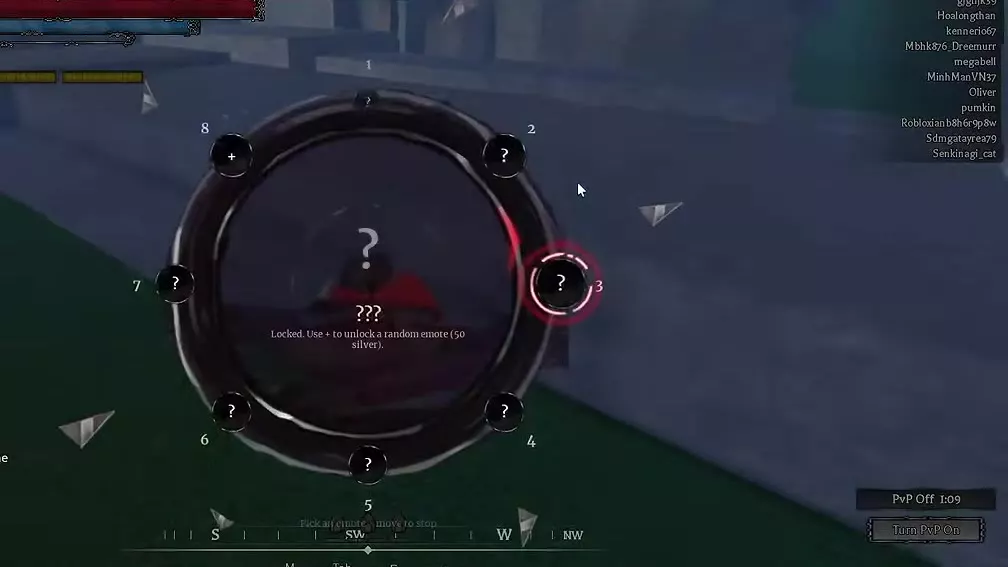
Open Customize from the main menu, edit your appearance, and select Save & Continue. To use your Roblox hair, enable it on the Hair tab before saving. Press comma to open the eight-slot emote wheel, where + unlocks a random emote for 50 Silver.
Open Customize and Adjust Your Look
- Select Customize from the main menu.
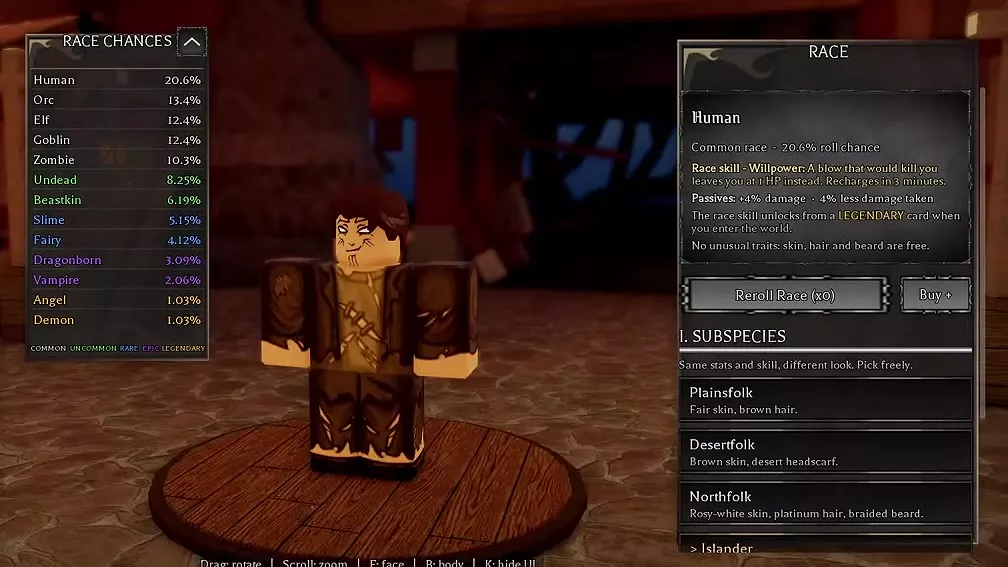
- Choose Face, Hair, Body, Outfit, or Marks to edit that part of your appearance. Open Race for your current race’s subspecies and traits.
- Drag to rotate your character and scroll to zoom. Press F for the face view, B for the body view, K to hide the interface, or R to reset the view. The preview also has Face, Body, and Reset buttons.
- Use Randomize to try a generated look or Reset to reset your edits. Select Save & Continue to keep your choices; the editor displays All changes saved after saving.
In the editor layout with Hairstyle, Face, Shirt, Pants, and Skin Color controls, select Finish when you are done. The wardrobe includes 9 faces, 24 shirts, and 27 pants.
For race-specific features, open Race → Traits and use the arrows to change available options such as horns or tails. Trait Color and the sliders adjust features available to your selected appearance.
Use Roblox Hair or Switch Back
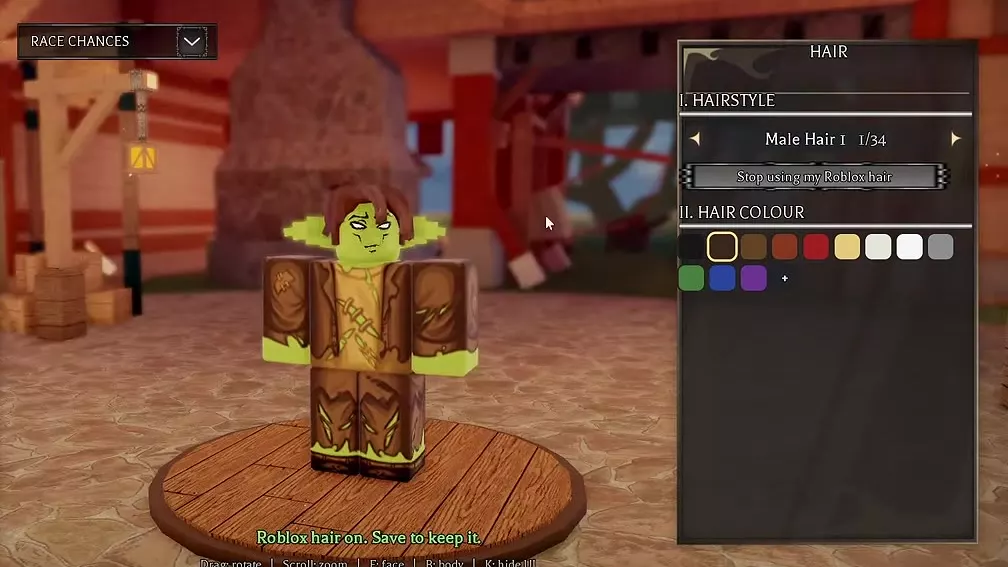
- Open Customize from the main menu and select Hair.
- Select Use my Roblox hair and wait for the character preview to update.
- Select Save & Continue to keep the hairstyle.
To return to an Eldforge hairstyle, select Stop using my Roblox hair. Use the arrows to browse the 34 built-in styles, choose a color under Hair Colour, and save your selection.
Equip the Vietnam Cape
If you have the Vietnam Cape, open your inventory, find it under Capes, and equip it in the Cape slot. It was a limited-time giveaway available to all players during the giveaway.
Play and Unlock Emotes
Press comma (,) to open the eight-slot emote wheel, then select an unlocked slot to play its emote. A question mark marks a locked slot. Select + and spend 50 Silver to unlock one random emote.
To change the shortcut, open Settings → Keybinds and change the Emotes binding. See Controls and Settings for the other keyboard and settings options.
Race Traits and Custom Accessories
Subspecies are appearance choices within your current race: they share its stats and skill, so you can change your look without rerolling the race. Browse the subspecies and race appearance options for available looks and traits.
For accessories you create or share yourself, use the Accessory Builder and Player Catalog.