
Eldforge Combat, Power Clash and PvP
Watch the enemy’s wind-up before committing to an attack. Hold your ground with a guard, dash clear of a wide swing, or circle behind the target to set up a Backstab.
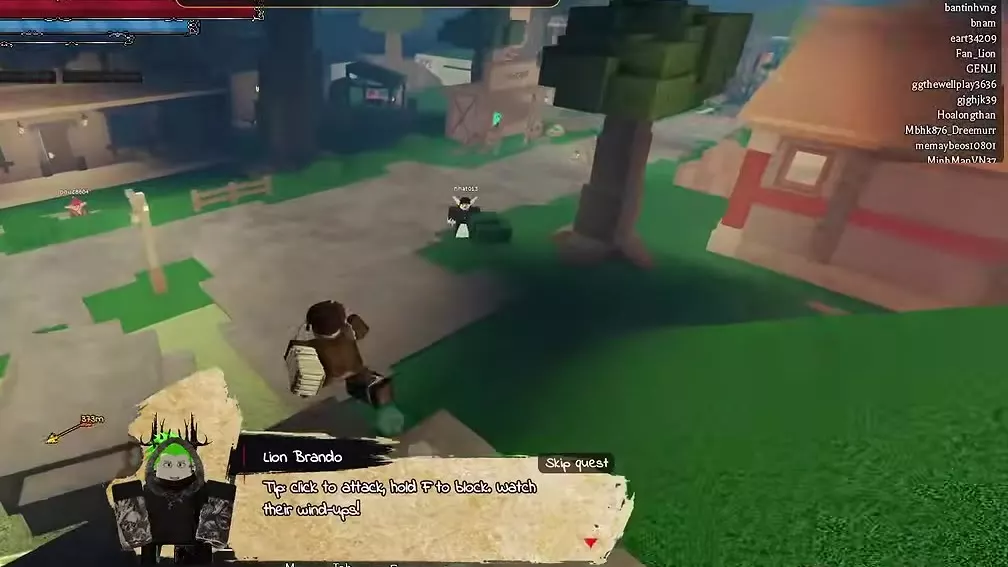
Left-click to attack, hold F to block, and press Q to dash. Attack from behind and look for BACKSTAB. Three charges make Power Clash available. When the prompt appears, mash left-click or F until you see BREAK! Safe Zones disable PvP, and a defeat by another player gives you 15 minutes of personal PvP protection.
Attack, Guard, Dash and Use Skills
| Action | Default PC control |
|---|---|
| Draw your equipped weapon | Weapon’s hotbar key |
| Basic attack | Left mouse button |
| Guard | Hold F |
| Dash | Q |
| Use an equipped class skill | Assigned number key |
| Use your race skill | H |
| Activate weapon awakening | C |
| Toggle Shift Lock | Left Shift |
Read attacks and cooldowns
Draw your weapon before attacking. With Wooden Blade in the E slot and Threefold Slash in slot 1, press E to draw the blade and 1 to use the skill. The countdown on the skill’s hotbar slot tells you when it’s ready again. Use basic attacks when you have an opening and keep moving or guarding while the skill recharges. See how to equip class skills.
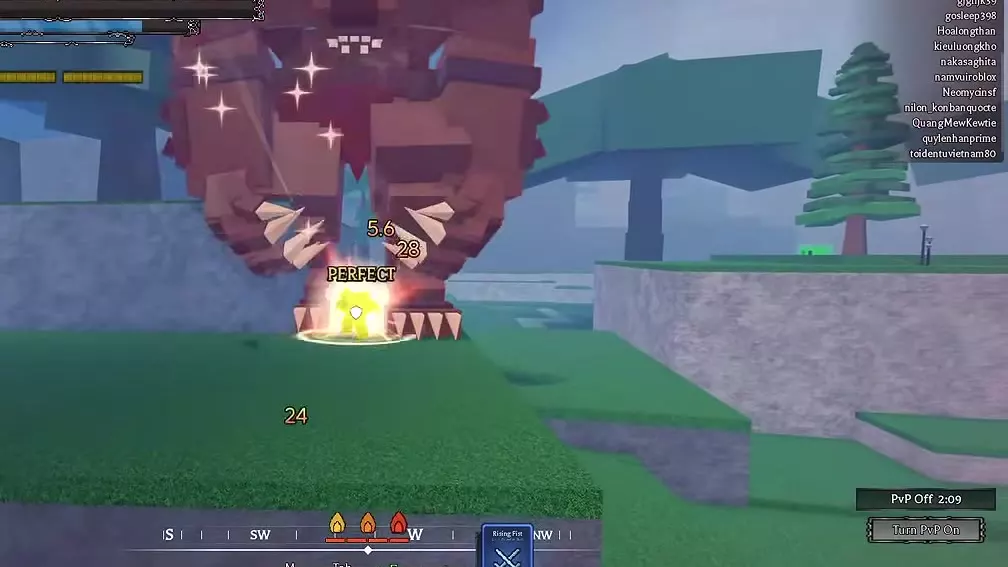
Watch for the enemy’s wind-up. Hold F to meet an incoming hit or press Q to get out of its path. Damage numbers and hit effects help you confirm contact. PERFECT beside a shield icon is defense feedback. Back out of wide attacks such as Stag King’s ground shocks. If an ally keeps attacking while you retreat, keep the boss in view so you can react if it closes the gap.
The Wooden Bow shows a circular reticle when aimed. If your Archer’s right-click move keeps missing, try Shift Lock to help line up the shot. Change your bindings under Settings > Keybinds. See controls and settings.
Recover health and stamina
In Combat can linger after a kill and prevent natural health recovery. If you can disengage, give yourself room and wait for the indicator to clear. For recovery during the fight, open the Food bag and drink the potion that matches what you need.
| Potion | Recovery |
|---|---|
| Stamina Draught | Full stamina, 2× recovery for 20 s |
| Minor Healing Potion | 20% health immediately |
| Healing Potion | 50% health immediately |
| Regeneration Potion | 3% health per second for 15 s |
Use a Stamina Draught when you need stamina back now and expect to keep spending it over the next 20 seconds. For health, choose the immediate potion that fits the size of the loss or use Regeneration Potion when you have time for its effect to run. To brew these, Stamina Draught requires Alchemy Level 5, 2 Moss, and 1 Glowcap. Healing Potion requires Alchemy Level 10, and Regeneration Potion requires Alchemy Level 15. See the full potion recipes.
If you’re choosing between recovery and defense bonuses, Deep Breath increases stamina recovery by 35% and reduces maximum stamina by 20, suiting short bursts with time to recover between them. Iron Wall raises guard durability from 100 to 140 and cuts basic attack damage by 10%, a trade-off for fights where you rely on guarding.
Move Behind the Enemy and Read Backstab
Circle around the enemy’s flank, get within reach behind it, and attack. Look for BACKSTAB in the hit feedback. CRIT can also appear during the same fight. If the enemy turns to face you, move around its flank again before committing to another swing.
Against Mossback, take the rear angle to stay clear of its forward attacks. If you’ve equipped the Thief’s Backstab skill, use its hotbar key from close range. In a close-range exchange with Mossback, the skill can show red slashes and a Backstab x5 readout. See the Mossback fight tips.
Fill and Win Power Clash
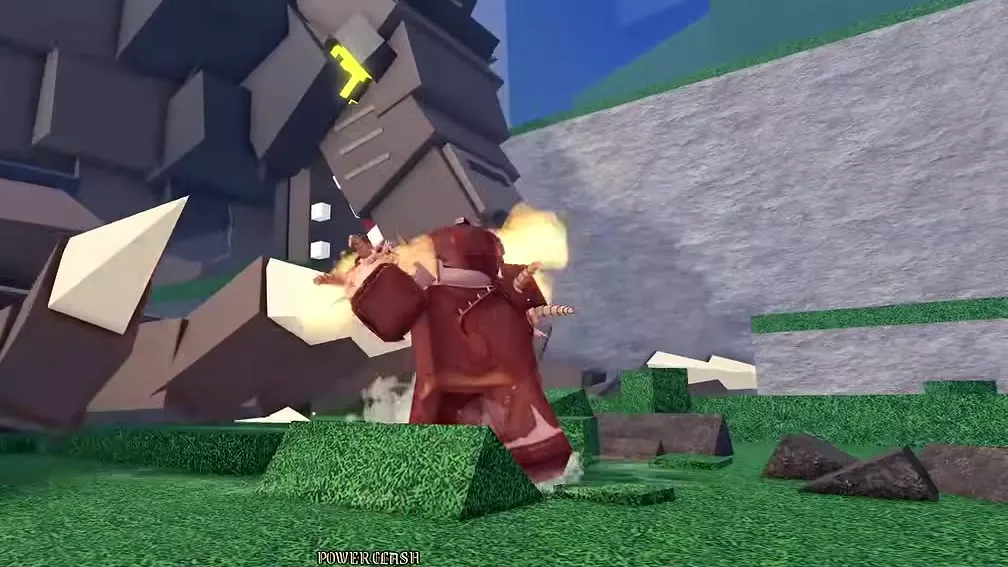
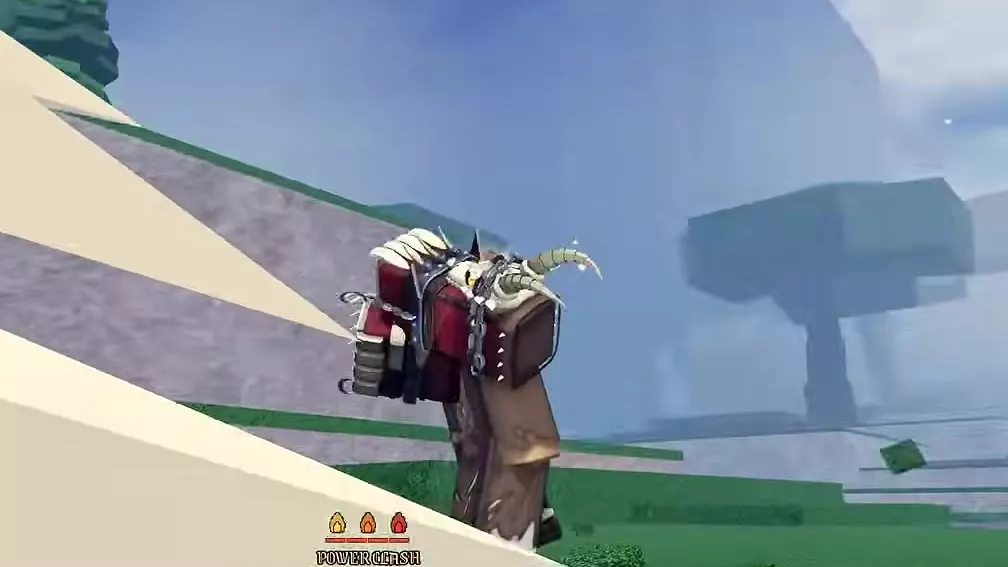
- Check the Power Clash meter below your health bar. A clash becomes available at three charges.
- Wait for MASH LMB / F during the encounter. Repeatedly press the left mouse button or tap F to fill the on-screen clash bar.
- Look for BREAK! when the bar fills. Read where the enemy lands before you follow up.
A break sends Werebear flying backward, giving you room to reset or close the gap. Against Stag King, follow the knockback and attack while it’s down, before it stands. Watch for the same mash prompt in regular fights such as a close-range Wolf hunt.
Safe Zones and PvP Protection
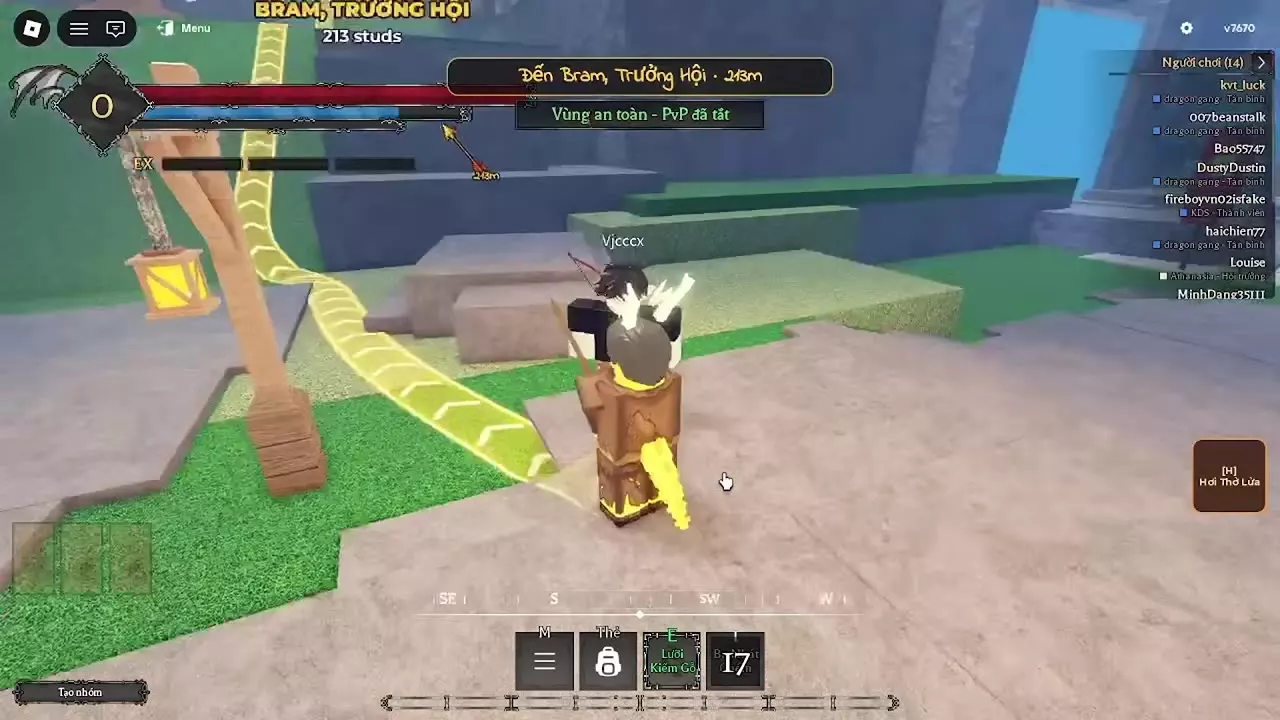
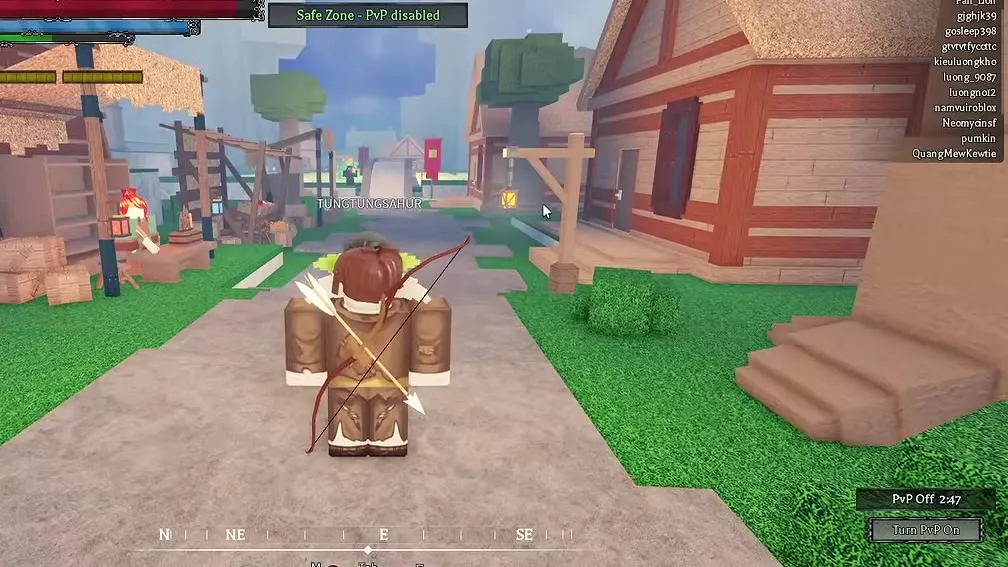
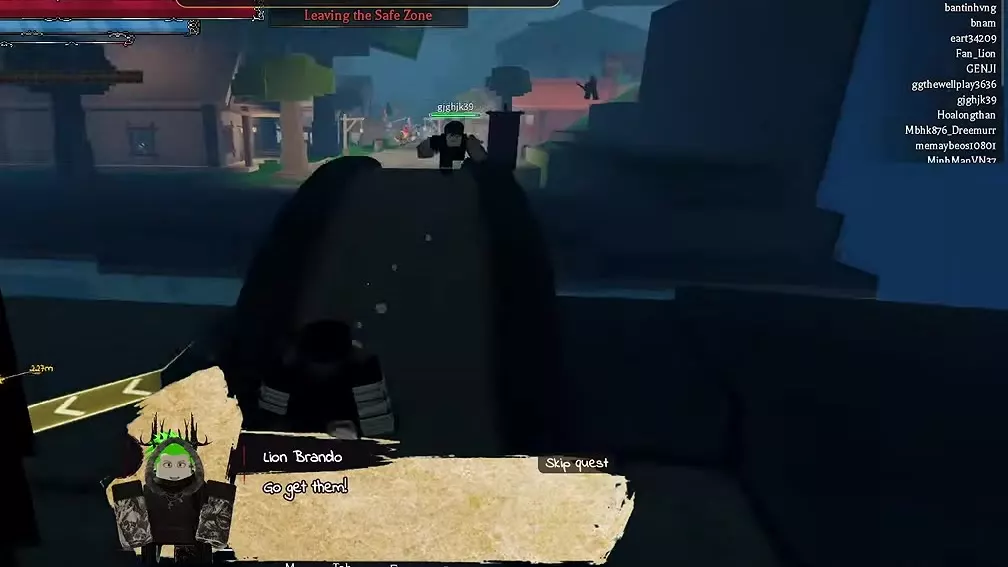
- Safe Zone. Look at the top of the screen for Safe Zone - PvP disabled. Player-versus-player combat is disabled within that area. Watch for Leaving the Safe Zone as you cross onto paths beyond Hearthvale’s bridge or gate. Stay alert for monsters near the boundary, such as Big Gloop at the building entrance.
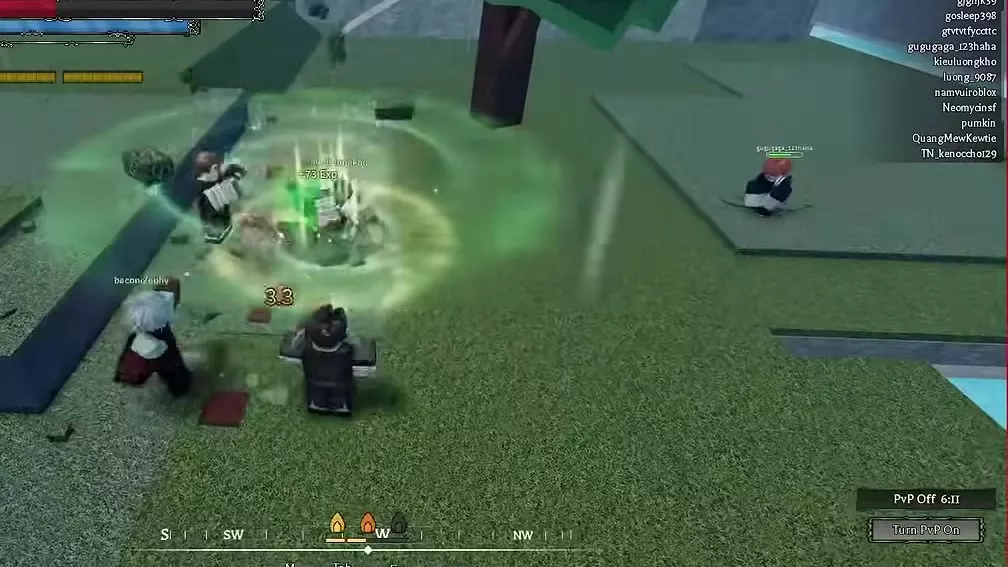
- Personal protection. When another player defeats you, PvP turns off for 15 minutes. Check PvP Off on the right side of the HUD for the remaining time, including after you leave a Safe Zone. Select Turn PvP On under the timer to end your personal protection early. The Safe Zone rule still applies inside its boundaries.
Since the November 25, 2026 fix, Shadow Lunge can hit other players where PvP is enabled and the target is vulnerable to PvP.
Parties, Respawn and Boss Fights
- Fight with friends. Press F on the World Map to find your party members before a fight. See how to create or join a party.
- Get back after a defeat. Read Slain by on the defeat screen and choose Confirm to respawn. See death penalties and how to change your respawn point.
- Prepare for a specific fight. Look up the encounter’s location, level, loot, and fight tips in the boss directory.