Eldforge Subspecies and Race Appearance Options
Find a look for your Eldforge character by browsing subspecies under their parent races, then adjust the available traits in the character editor.
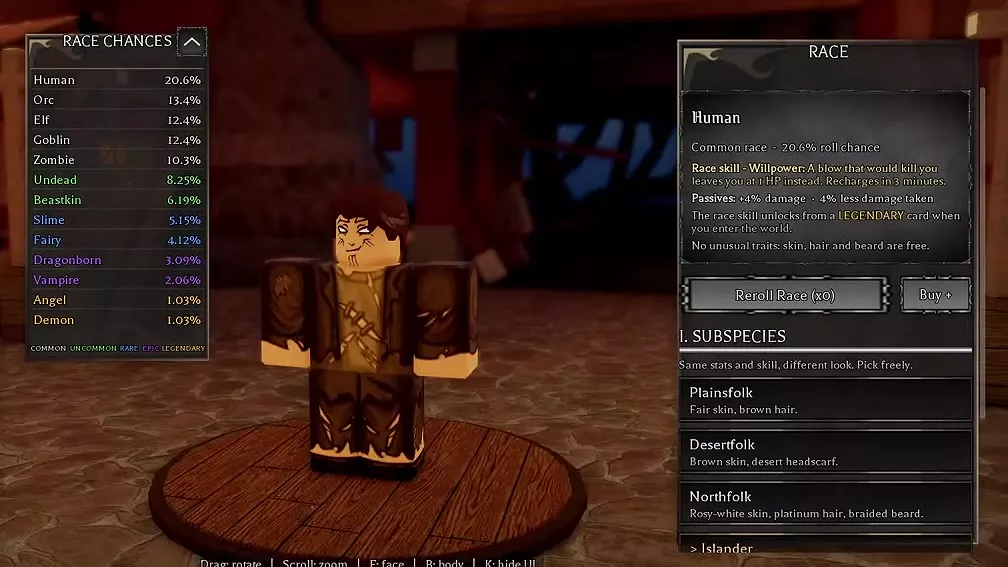
Open Customize → Race and select a subspecies for your current race. Preview it, adjust its available Traits, and choose Save & Continue. Subspecies share their parent race’s stats and skill.
How Subspecies Affect Your Character
Subspecies change your character’s appearance while keeping the stats and skill of the parent race. You can freely choose another subspecies of your current race without rerolling. The wardrobe lists 56 subspecies across 13 races.
Subspecies by Parent Race
Find your current race in the directory to see its appearance options. Gold Goblin and Star Fairy have a Rare label; their gameplay effects still come from Goblin and Fairy respectively.
39 objects
| Name | Race |
|---|---|
|
Human
| |
| |
|
Human
| |
| |
|
Human
| |
| |
|
Human
| |
| |
|
Orc
| |
| |
|
Orc
| |
| |
|
Orc
| |
| |
|
Elf
| |
| |
|
Elf
| |
| |
|
Elf
| |
| |
|
Elf
| |
| |
|
Goblin
| |
| |
|
Goblin
| |
| |
|
Goblin
| |
| |
|
Goblin
| |
| |
|
Zombie
| |
| |
|
Zombie
| |
| |
|
Zombie
| |
| |
|
Undead
| |
| |
|
Undead
| |
| |
|
Undead
| |
| |
|
Slime
| |
| |
|
Slime
| |
| |
|
Slime
| |
| |
|
Slime
| |
| |
|
Fairy
| |
| |
|
Fairy
| |
| |
|
Fairy
| |
| |
|
Fairy
| |
| |
|
Dragonborn
| |
| |
|
Dragonborn
| |
| |
|
Dragonborn
| |
| |
|
Dragonborn
| |
| |
|
Dragonborn
| |
| |
|
Demon
| |
| |
|
Demon
| |
| |
|
Demon
| |
| |
|
Demon
| |
| |
|
Demon
| |
| |
Preview, Edit Traits and Save
- From the main menu, open Customize, then select Race.
- Choose an appearance under Subspecies for your current race.
- Drag to rotate the character and scroll to zoom. Press F for the face view or B for the body view.
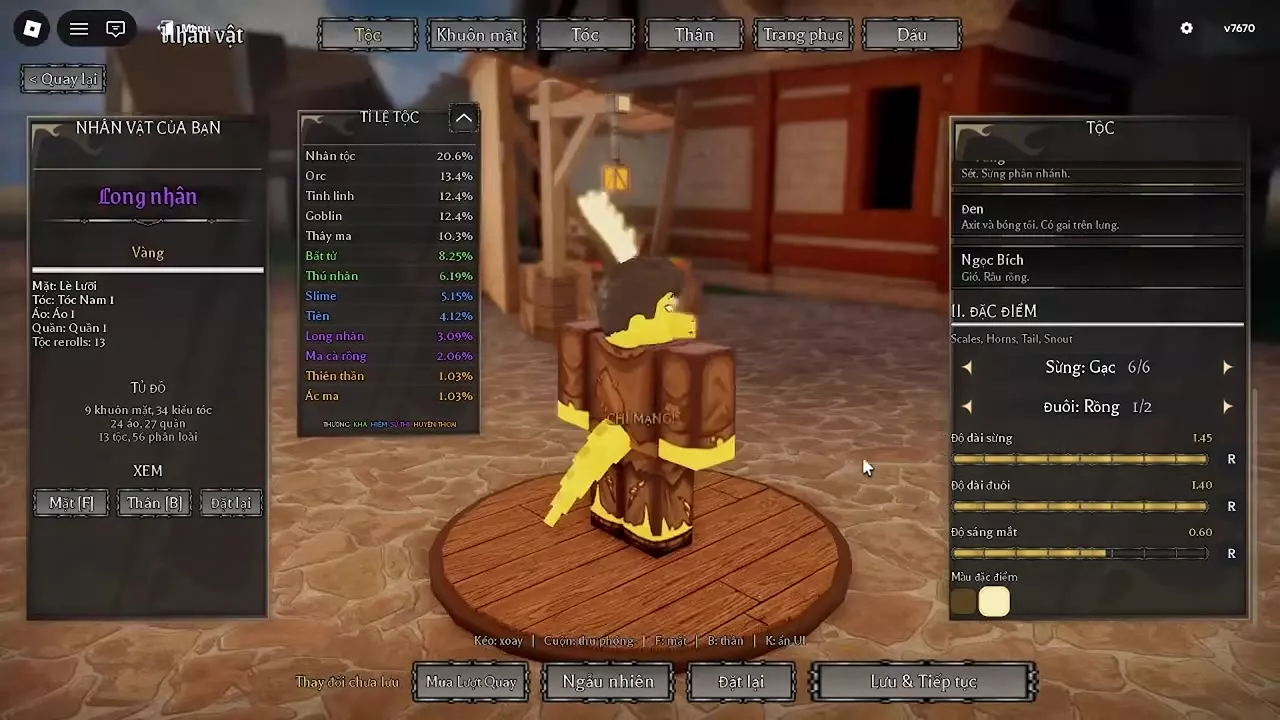
- Scroll to Traits and use the available controls to adjust the selected appearance.
- Choose Save & Continue to keep your look.
Trait options depend on the subspecies:
- Goblin: Cave Goblin has Ears, Nose, and Eye Glow; Red Cap has Ears, Nose, and Cap; Gold Goblin has Ears, Nose, and Gold Teeth.
- Dragonborn: The editor lists Scales, Horns, Tail, and Snout. Use the arrows to select styles such as Branched or Antlers horns and Dragon or Spiked tails. Adjust trait color, horn length, tail length, and eye brightness with the controls. The element themes in the subspecies names describe their appearance.
- Demon: Use the arrows to cycle horn and tail styles. Crown Horn includes Horns, Tail, and Eye Glow; Imp also has Wings.
Race Effects and the Character Wardrobe
Compare race stats and skills when choosing the gameplay effects you want. To change your parent race, see race rerolls and free roll rewards. For face, hair, outfit, and other editor options, visit character customization.